
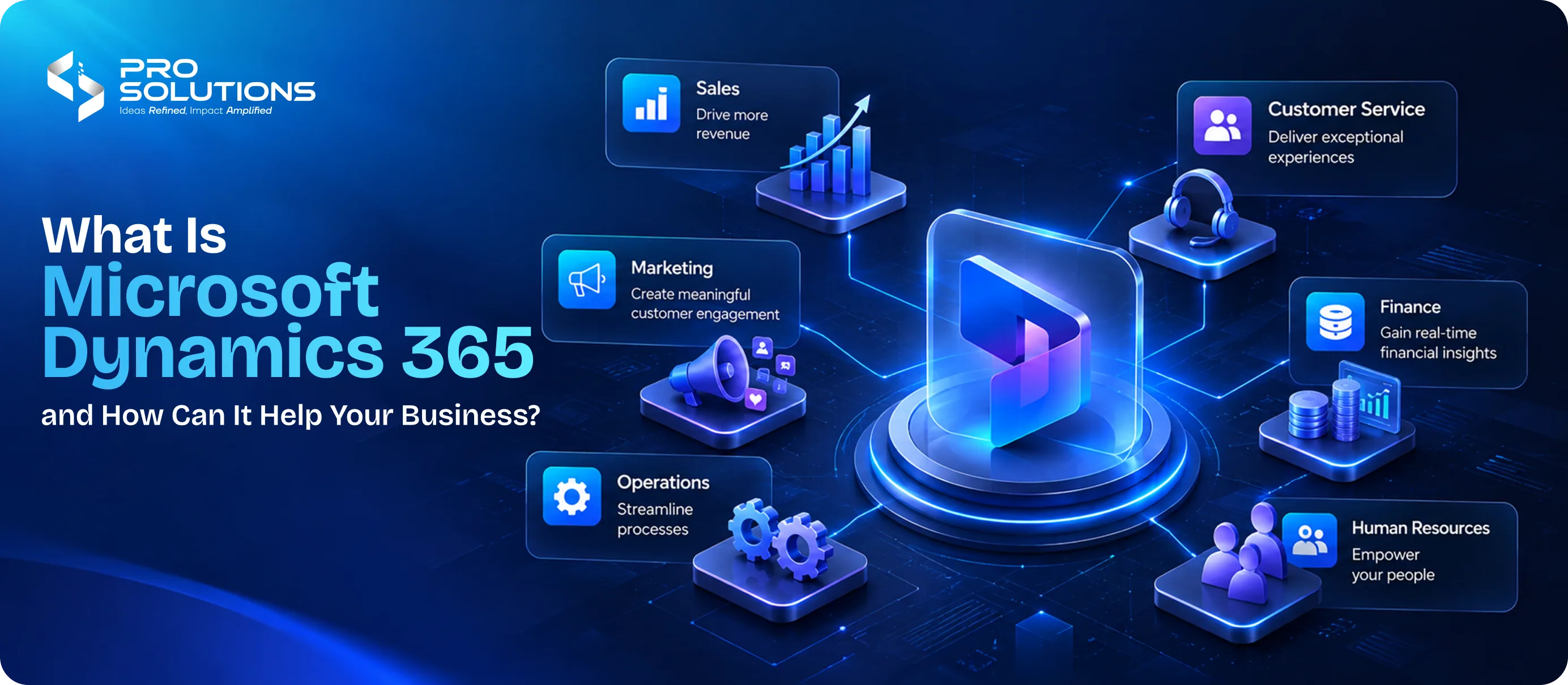
What Is Microsoft Dynamics 365 and How Can It Help Your Business?
As businesses grow, managing customer relationships, sales activities, finances, inventory, and daily operations becomes increasingly complex. Information often ends up scattered across spreadsheets, disconnected applications, and departmental systems, making it difficult for teams to collaborate and make informed decisions.
Microsoft Dynamics 365 addresses this challenge by bringing customer relationship management (CRM) and enterprise resource planning (ERP) capabilities into a connected suite of business applications. It helps organisations streamline processes, improve visibility, automate repetitive tasks, and make better use of business data.
For companies looking to modernise their operations, Microsoft Dynamics 365 can provide a structured way to connect people, processes, and technology.
But what exactly is Microsoft Dynamics 365, what can it do, and how can businesses determine whether it is the right solution for their needs?
What Is Microsoft Dynamics 365?
Microsoft Dynamics 365 is a suite of cloud-based business applications designed to help organisations manage customer relationships and core business operations. It combines CRM and ERP capabilities with analytics, automation, and AI-powered features.
Rather than operating as one fixed software package, Dynamics 365 offers multiple applications that businesses can select according to their requirements. These applications can work together and integrate with other Microsoft products, including Microsoft 365, Teams, Outlook, and the Power Platform.
For example, a sales team can manage leads and customer interactions through Dynamics 365 Sales, while the finance team uses Dynamics 365 Finance to manage financial operations. Connecting relevant data can give both teams better visibility into customer accounts, transactions, and business performance.
At a fundamental level, Microsoft Dynamics 365 helps businesses move from fragmented systems towards more connected, data-driven operations.
Understanding CRM and ERP in Microsoft Dynamics 365
To understand the value of Dynamics 365, it helps to understand the two major business functions it supports.
1. Customer Relationship Management (CRM)
CRM software helps businesses manage interactions with current and potential customers. It brings together information about leads, sales opportunities, customer communication, and service requests.
Microsoft Dynamics 365 CRM applications can help businesses:
- Track leads and sales opportunities.
- Maintain centralised customer records.
- Monitor sales pipelines and team performance.
- Manage customer service requests.
- Support more personalised customer experiences.
For example, a B2B company can use a CRM system to track every stage of a potential deal, from the first enquiry to contract closure. Sales representatives can understand previous interactions and determine the most appropriate next step.
2. Enterprise Resource Planning (ERP)
ERP software connects essential internal business processes, including finance, inventory, purchasing, supply chain management, and operations.
Microsoft Dynamics 365 ERP applications help businesses:
- Manage financial records and reporting.
- Monitor inventory and supply chain activities.
- Coordinate purchasing and order fulfilment.
- Improve operational planning.
- Reduce dependence on disconnected systems.
Consider a manufacturing business that needs to coordinate raw materials, production schedules, inventory, and customer orders. An ERP solution can improve visibility across these activities, helping teams make decisions using more consistent information.
The key difference: CRM primarily focuses on customer relationships and revenue-generating activities, while ERP focuses on internal resources and operational processes. Microsoft Dynamics 365 brings both capabilities together through applications that can be integrated as needed.
What Are the Main Applications of Microsoft Dynamics 365?
The right Dynamics 365 applications depend on the business processes an organisation wants to improve. Here are some of the major solutions.
Dynamics 365 Sales
Dynamics 365 Sales helps sales teams manage leads, customer accounts, opportunities, and sales pipelines. AI-assisted insights and workflow capabilities can help representatives prioritise activities and spend less time on administrative work.
It is particularly useful for businesses with complex sales cycles, multiple customer touchpoints, or large sales teams.
Dynamics 365 Customer Service
This application helps customer support teams manage cases, service requests, and customer interactions. By bringing relevant customer information into a connected workspace, it can help support representatives resolve issues more efficiently.
Businesses can use it to improve service consistency, monitor support performance, and strengthen customer relationships.
Dynamics 365 Customer Insights
Customer Insights helps organisations bring customer data together and use it to understand audience behaviour and support personalised customer journeys.
It can be valuable for businesses that want to improve customer engagement, segment audiences, and coordinate marketing communication across channels.
Dynamics 365 Business Central
Business Central is a business management solution particularly suited to small and medium-sized organisations. It supports functions such as finance, sales, inventory, purchasing, project management, and service operations.
For growing companies managing several business processes through separate tools, Business Central can provide a more connected operational foundation.
Dynamics 365 Finance and Supply Chain Management
Dynamics 365 Finance supports financial planning, accounting, reporting, and financial control. Supply Chain Management helps businesses coordinate inventory, procurement, production, and supply chain operations.
These applications can be particularly relevant to larger organisations with complex financial structures, multiple locations, or extensive supply chain requirements.
The important point is that businesses do not necessarily need every Dynamics 365 application. They can select the capabilities that align with their operational priorities.
How Can Microsoft Dynamics 365 Help Your Business?
Implementing business software should solve specific operational problems, not simply introduce new technology. Microsoft Dynamics 365 can support business improvement in several practical ways.
1. Centralise Business Information
When customer records, sales reports, inventory data, and financial information exist in separate systems, employees may struggle to obtain an accurate view of business performance.
Dynamics 365 can connect relevant information across applications, reducing data silos and making it easier for teams to work with consistent records.
For example, a sales manager may be able to review customer account information alongside sales opportunities, helping the team prepare for conversations and coordinate follow-ups.
2. Automate Repetitive Business Processes
Manual administrative tasks consume time that employees could spend on higher-value activities.
Dynamics 365 supports workflow automation for processes such as lead management, approvals, customer service routing, and operational tasks, depending on the applications and configuration used.
Businesses can also use Microsoft Power Automate to connect systems and automate suitable workflows.
For example, an organisation could configure an automated notification when a sales opportunity reaches a particular stage or route a service request to the appropriate team.
Automation can reduce repetitive work, improve consistency, and help employees focus on tasks that require judgement and human interaction.
3. Improve Decision-Making with Business Data
Effective business decisions depend on timely, reliable information. When reports require manual consolidation from multiple sources, decision-makers may not have a clear picture of current performance.
Dynamics 365 provides reporting, dashboards, analytics, and AI-assisted insights across supported applications.
Businesses can use these capabilities to monitor sales pipelines, financial performance, customer service trends, inventory levels, and other operational indicators.
The value lies in turning business data into actionable information rather than simply collecting more of it.
4. Strengthen Customer Relationships
Customer expectations continue to evolve, and businesses need to provide consistent experiences across sales, support, and other interactions.
With CRM capabilities, teams can access relevant customer information, review previous interactions, and manage follow-ups more systematically.
This can help businesses respond more effectively to enquiries, identify customer needs, and maintain continuity throughout the customer journey.
For organisations operating in competitive markets, a more organised approach to customer relationship management can support retention and long-term customer value.
5. Support Business Growth
Business processes that work for a small team may become difficult to manage as transaction volumes, customer numbers, and employee responsibilities increase.
Dynamics 365 offers a modular approach that allows businesses to adopt relevant applications and expand their capabilities as requirements evolve.
A growing company might begin with Business Central for finance and operations, then introduce additional applications when its sales or customer service requirements become more complex.
The appropriate configuration depends on the company's scale, industry, existing technology, and future plans.
6. Work Within the Microsoft Ecosystem
Many organisations already use Microsoft products for email, collaboration, reporting, and document management.
Dynamics 365 can integrate with relevant Microsoft services, helping teams connect business processes with familiar tools. For example, supported integrations with Outlook and Teams can help employees access customer information and collaborate without constantly switching between disconnected applications.
Microsoft Power Platform can also support custom applications, reporting, and workflow automation.
These integrations can improve productivity, although the available functionality depends on licensing, configuration, and the applications involved.
7. Use AI to Support Everyday Work
AI is becoming an increasingly important part of business applications. Dynamics 365 includes Copilot capabilities and other AI-powered features in supported applications.
Depending on the application and configuration, these features can assist with tasks such as summarising customer interactions, preparing sales communications, analysing information, or supporting service workflows.
AI agents can also help with specific business processes where supported.
However, AI should be implemented with appropriate oversight, data governance, and validation. Businesses should evaluate whether each capability addresses a genuine need and produces measurable value.
Which Businesses Should Consider Microsoft Dynamics 365?
Microsoft Dynamics 365 can support organisations across different industries, but its suitability depends on their operational needs.
- Small and medium-sized businesses: Companies looking to connect accounting, sales, inventory, and everyday business management may benefit from Business Central.
- Manufacturing companies: Businesses can use relevant ERP applications to coordinate production, inventory, purchasing, and supply chain processes.
- Retail and ecommerce businesses: Connected customer and operational data can help support inventory management, customer engagement, and order-related workflows.
- Professional services firms: CRM and project management capabilities can help teams manage client relationships, sales opportunities, project delivery, and financial visibility.
- Large enterprises: Organisations with complex processes may benefit from a combination of CRM and ERP applications across multiple departments.
The best fit is not determined by company size alone. Businesses should consider process complexity, integration requirements, reporting needs, implementation resources, and the total cost of ownership.
What Should You Consider Before Implementing Dynamics 365?
Microsoft Dynamics 365 can offer significant operational benefits, but successful implementation requires careful planning.
Business requirements: Identify the processes that need improvement before selecting applications. Avoid purchasing features that do not support clear business objectives.
Data migration: Review existing customer records, financial data, and operational information. Data should be cleaned and mapped before migration.
Integration: Determine how Dynamics 365 will work with your existing accounting software, ecommerce platforms, databases, and other business tools.
Employee training: Prepare teams to use the new system effectively. Adoption is essential for achieving value from the investment.
Licensing and costs: Dynamics 365 applications have different licensing structures. Evaluate subscription costs, implementation, customisation, integrations, training, and ongoing support before making a decision.
Security and governance: Establish appropriate permissions, data access controls, and processes for managing sensitive business information.
A phased implementation can help businesses introduce new capabilities gradually, address issues early, and measure progress against defined objectives.
How Pro Solutions Can Help Businesses Approach Digital Transformation
Choosing a business application is only one part of digital transformation. Businesses also need to understand their existing processes, identify operational gaps, and determine how technology can support their objectives.
Pro Solutions helps businesses approach digital transformation through technology-focused thinking, digital strategy, and solutions aligned with business requirements. For organisations evaluating platforms such as Microsoft Dynamics 365, the priority should be to identify the right processes to improve, the integrations required, and the outcomes the implementation should deliver.
A clear roadmap helps ensure that technology investment supports practical business needs rather than adding unnecessary complexity.
Conclusion
Microsoft Dynamics 365 is more than a CRM or ERP system. It is a suite of connected business applications that can help organisations manage customer relationships, streamline operations, automate workflows, and make better use of business data.
From small businesses seeking more organised financial management to large enterprises coordinating complex operations, the platform offers different applications to address different requirements.
However, the benefits depend on selecting the right applications, preparing business data, integrating existing systems, and supporting employees through the transition.
Businesses that begin with clearly defined objectives and a practical implementation plan are better positioned to use Microsoft Dynamics 365 effectively and build a more connected, efficient, and scalable operating environment.